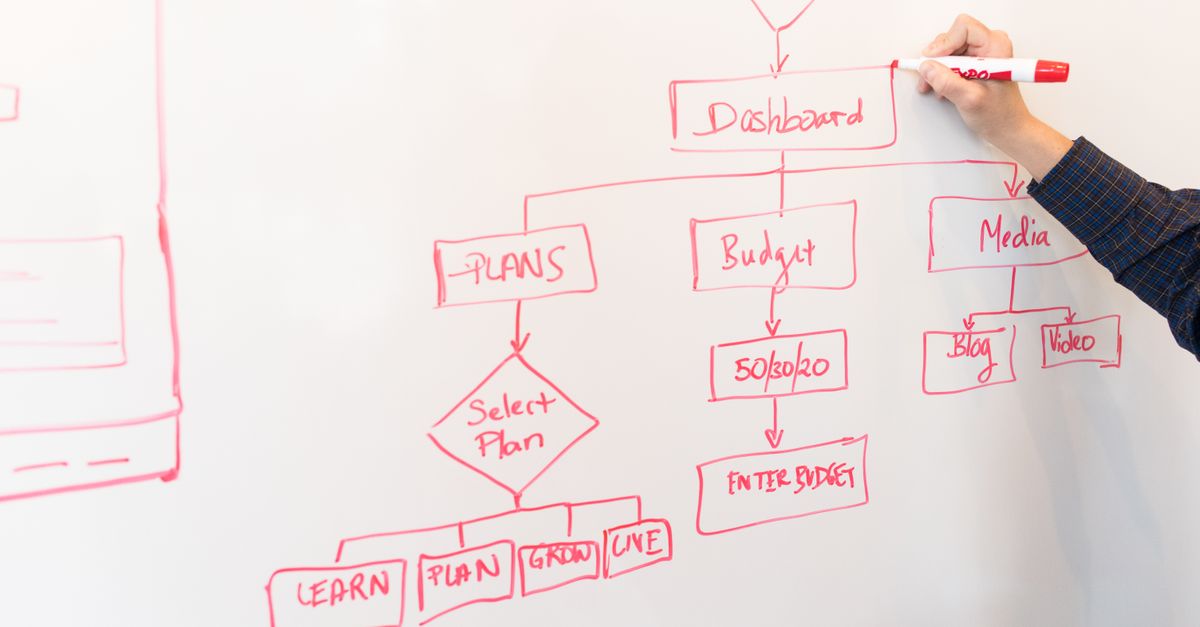
Buying workflow automation software is unusually difficult, and the reason is structural. Almost every product in the category demos beautifully. A visual canvas, a few drag-and-drop nodes, a connector library with several hundred logos — the thirty-minute demo is genuinely impressive across nearly every vendor. The differences that determine whether a platform succeeds in your organization do not surface until month four.
Those differences are concentrated in unglamorous places: how the platform behaves when a downstream system times out mid-workflow, whether a business analyst can change an approval threshold without a deployment, what happens to in-flight work when you publish a new version, and how the pricing model scales when volume triples. None of that appears on a comparison matrix.
This guide is organized around the evaluation, not the technology. It covers what the software category actually does, which capabilities are non-negotiable versus which merely demo well, how the major pricing models behave at scale, the questions that separate serious vendors from optimistic ones, and the signals that should end an evaluation early.
What the Category Actually Covers
Workflow automation software sits between your systems of record and the people who operate the business. It receives a trigger, applies your rules, moves work through a sequence of automated and human steps, calls out to other applications for data or action, and records the outcome.
That places it in a different position from adjacent tools. An ERP or HRIS is a system of record — it holds the authoritative data. An integration platform moves data between systems on a schedule or event. Workflow automation software governs the sequence and the decisions, which is why it is the layer where policy is actually enforced.
The 2026 generation of these platforms adds a capability the previous generation lacked: the ability to handle unstructured input. Earlier workflow tools required clean, structured data at every step, which meant a human had to normalize anything that arrived as a PDF, an email body, or a scanned form. Modern AI workflow automation reads documents, extracts fields, classifies intent, and makes routine judgment calls, which extends automation into processes that were previously off-limits.
Capabilities That Are Non-Negotiable
A visual builder that a business analyst can actually operate. The test is not whether a workflow can be built visually — they all pass that. The test is whether someone in finance or HR can modify a live workflow six months after the implementation partner has left. Ask to see the interface for editing an existing production workflow, not for building a new one from scratch.
Configurable rules separated from workflow structure. Approval thresholds, eligibility criteria, and routing conditions should live in a rules table that a business owner can update independently. If changing a dollar threshold means editing the workflow diagram, every policy change becomes a change-management event.
Native human task management. Approvals, reviews, and exception handling need a real work queue with delegation, out-of-office reassignment, escalation timers, and bulk actions. Platforms that handle human steps by sending an email with two links look fine in a demo and fall apart at volume.
Versioning with in-flight migration. When you publish version two of a workflow, the platform must have a defined answer for the three hundred items currently running under version one. "They continue on the old version" and "they migrate to the new one" are both acceptable answers. "We don't recommend changing published workflows" is not.
Error handling and retry semantics. Every integration call can fail. The platform needs configurable retry policies, dead-letter queues for permanent failures, and visibility into stuck items. Ask specifically what happens when a target system returns a timeout after having already processed the request — duplicate submission handling is where amateur platforms show themselves.
An audit trail that satisfies your auditors, not your engineers. Immutable, timestamped, attributable, and exportable. For finance and HR processes this is a compliance requirement, not a nice-to-have, and it is closely tied to how you handle document retention and compliance records.
Capabilities That Matter Only at Scale
Some features are genuinely important, but only past a certain threshold. Buying them early inflates cost without adding value.
Multi-environment promotion (dev, test, production) matters once you have more than roughly a dozen production workflows or a formal change-control process. Below that, most teams manage fine with a sandbox.
Role-based access control at the workflow level matters when different departments own different automations and you need to prevent HR from editing finance logic. In a single-team deployment it is overhead.
Process mining and simulation are valuable for organizations with hundreds of process variants. For a first automation program they are an expensive distraction from simply measuring cycle time before and after.
High-availability and disaster-recovery guarantees matter when a workflow sits in a revenue-critical or payroll-critical path. They matter a great deal there — a failed payroll automation run has consequences a delayed purchase requisition does not.
Capabilities That Demo Well and Rarely Get Used
Connector counts are the clearest example. A library of 800 connectors sounds decisive until you check whether the six systems you actually use are covered, and at what depth. A connector that supports three endpoints of a forty-endpoint API is a logo on a slide, not an integration.
Natural-language workflow generation — describe a process in a sentence and watch a diagram appear — produces impressive demos and workflows that need substantial rework before production. It is useful as a starting scaffold and misleading as a capability claim.
Mobile apps for approvals get used less than vendors suggest, because most approvers are already living in email or a chat client. Approval actions embedded in the tools people already use tend to see far higher completion rates than a dedicated app.
Pricing Models and How They Behave
Three models dominate, and they fail in different directions.
Per named user is predictable and easy to budget. It punishes processes with many occasional participants — an expense approval workflow that touches every manager in the company becomes expensive even though each manager acts twice a month.
Per execution or per step aligns cost to value and is attractive early. It becomes hostile at scale, particularly for high-volume, low-value transactions, and it creates a perverse incentive to design fewer, larger steps rather than clean, granular workflows. Model your projected volume at three times current levels before signing.
Platform or tier-based pricing with unlimited executions is the most forgiving at scale and the most expensive to start. It is the right model if you intend to run automation across multiple departments; it is overpriced for a single-process pilot.
Whichever model applies, the number that matters is fully loaded cost per transaction, including implementation and internal administration time. That is the same discipline that makes expense management ROI calculations credible, and it is the only basis on which two differently priced platforms can be compared honestly.
Questions That Separate Serious Vendors
Ask what happens to running workflow instances when a connected system is unavailable for four hours. Ask to see the actual audit export format. Ask how many customers of your size are running the specific process you intend to automate, and request one of them as a reference. Ask what the platform cannot do — a vendor with no honest answer has not been asked hard questions before.
Ask about implementation staffing specifically: how many hours of your team's time, from which roles, over what calendar period. Vendors quote their own effort and omit yours, which is typically the larger number.
Finally, ask what happens at renewal if you want to leave. Export formats for workflow definitions, data retention after termination, and transition assistance should be contractual, not conversational.
Red Flags
An implementation quote with no discovery phase means the vendor is guessing. A refusal to provide a sandbox for your own team to build in means the product is harder to use than the demo suggested. Reference customers who are all in a different industry or an order of magnitude different in size are not references. And a proposal that requires professional services for routine configuration changes is a subscription to a consulting relationship, not a software purchase.
A Realistic Timeline
A first workflow, scoped to one department with fewer than three integrations, takes six to twelve weeks from kickoff to production for most mid-sized organizations. Roughly half of that is discovery and process definition, not building. Programs that promise two weeks are either automating something trivial or deferring the exception handling to a later phase that never gets funded.
The second workflow takes about half as long. By the fifth, an internal team that has been properly enabled can usually deliver without vendor involvement. That trajectory — not the speed of the first deployment — is the real measure of whether a platform fits your organization.
If you are early in an evaluation and want a candid assessment of which processes justify a platform at all, that conversation is worth having before you sit through another demo.