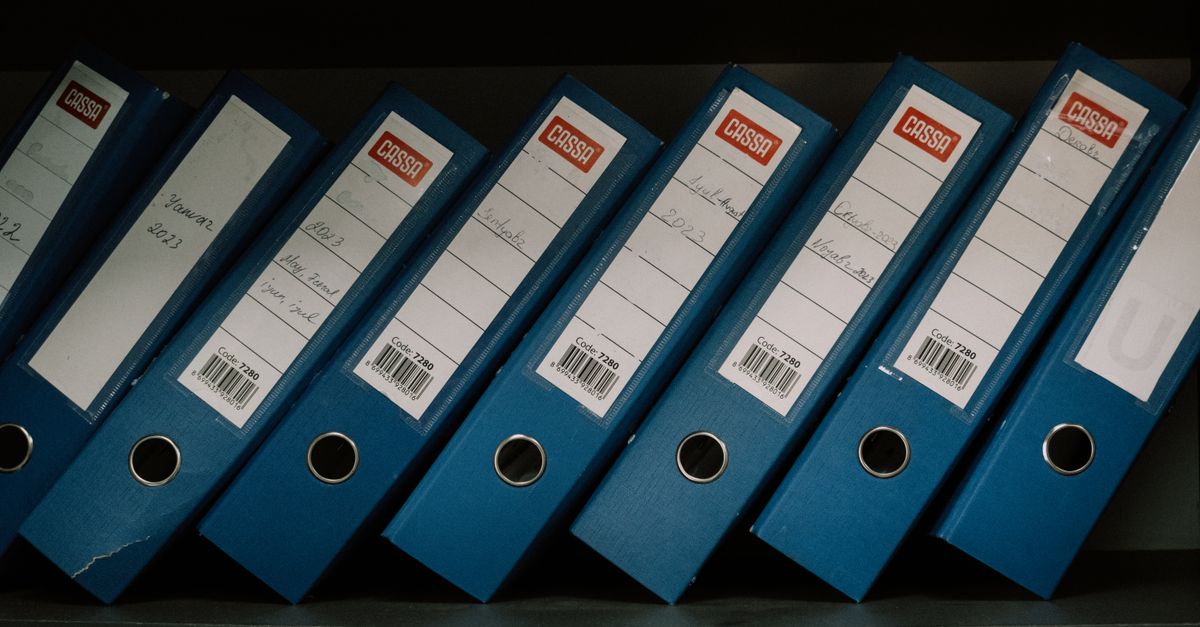
Every HR department generates, distributes, and stores an enormous volume of documents — offer letters, policy handbooks, tax forms, performance reviews, benefits elections, disciplinary records, training certifications, and separation agreements, among dozens more. For a 500-person company, that can mean tens of thousands of discrete files accumulating each year. When those documents live across shared drives, email inboxes, filing cabinets, and individual desktops, the result is not just disorganization — it is a compliance liability that compounds over time.
The shift to digital HR document management has been underway for years, but 2026 has introduced a new dimension: AI-powered document intelligence that does not just store files but understands them. This guide covers what modern document management looks like, what breaks when it is absent, and how to build a system that keeps your organization organized, compliant, and prepared for any audit.
The Hidden Cost of Document Chaos
Document mismanagement rarely makes headlines until it becomes a crisis. The day-to-day cost is invisible but relentless: HR professionals searching for files, recreating lost documents, chasing employees for uncollected signatures, and manually assembling records for audits that should take minutes but instead take weeks.
A 2025 study by AIIM (the Association for Intelligent Information Management) found that professionals spend an average of 18 minutes searching for each document they need, and that 7.5% of all organizational documents are lost entirely. For HR, where documents are legal evidence as much as operational records, those statistics translate directly into risk.
The financial exposure is significant. Missing I-9 forms can result in fines of $272 to $2,701 per form for paperwork violations alone. A wage-and-hour investigation where the company cannot produce timekeeping records shifts the burden of proof to the employer. EEOC complaints that require documentation of disciplinary history and accommodation requests demand rapid, complete retrieval that disorganized systems cannot deliver.
Beyond regulatory risk, HR teams without centralized document management spend an estimated 20% to 30% of their working hours on document-related tasks — searching, filing, chasing signatures, and compiling records. That is time not spent on employee experience, talent strategy, or the work that actually drives organizational value.
What Modern HR Document Management Looks Like
A modern HR document management system is purpose-built for the specific requirements of HR: the document types, the compliance obligations, the access controls, and the lifecycle management that generic file storage cannot provide.
Centralized Digital Repository
Every employee-related document — from their initial application through their separation — lives in a single, structured system organized by employee, document type, and date. When an HR partner needs to review an employee's complete file, they access it in one place rather than piecing it together from email attachments, shared drives, and a filing cabinet.
Centralization also solves the version control problem. When a policy document exists in 14 different email threads and three shared drive locations, no one can be certain which version is current. A centralized document management system maintains a single authoritative version with a complete revision history, ensuring that every stakeholder is working from the same source of truth.
Role-Based Access Controls
HR documents contain some of the most sensitive information in any organization: social security numbers, medical records, compensation data, and background check results. Access must be governed by the principle of least privilege — every person can see only the documents they have a legitimate business reason to access.
Modern systems provide granular permissions. A hiring manager can see onboarding documents for their direct reports but not compensation data for other teams. An employee can access their own records through a self-service portal. Payroll administrators can reach compensation and tax documents but not medical records. And every access event is logged, creating an immutable record of who viewed what and when.
Policy Management Lifecycle
Policies are living documents requiring creation, review, approval, distribution, acknowledgment, renewal, and eventual retirement. Most organizations handle this lifecycle manually, producing predictable failures: outdated policies, missing acknowledgments, and an inability to prove that a specific employee received a specific policy version on a specific date.
Creation Through Approval
Effective policy management begins with structured authoring and approval. A new or revised policy is drafted, routed to reviewers (legal, compliance, HR leadership), revised, and formally approved with a documented approval chain. Every revision and approval is captured in the system's version history.
Distribution and Acknowledgment Tracking
Once approved, policies are distributed automatically to targeted employee groups based on department, location, role, or employment status. Employees receive notifications, review the policy, and provide an electronic acknowledgment with a timestamp and digital signature. The system tracks completion, sends automated reminders, and escalates to managers when deadlines approach. At any point, HR can pull a report showing exactly which employees have acknowledged which policy version.
Renewal and Retirement
Employment law changes and organizational practices evolve. A document management system tracks policy review dates and triggers renewal workflows automatically — alerting policy owners 60 or 90 days before a scheduled review so the revision process can begin before the policy goes stale. Superseded versions are archived (not deleted) with clear notation of their effective dates.
Electronic Signatures and Digital Forms
Paper forms remain the single greatest source of friction and error in HR document workflows. Electronic signatures, which carry the same legal weight as handwritten signatures under the ESIGN Act and the Uniform Electronic Transactions Act, eliminate paper from virtually every HR process. Onboarding packets that once consumed a new hire's entire first morning can be completed digitally before day one — offer letters, W-4s, direct deposit authorizations, I-9s, handbook acknowledgments, and benefits elections, all signed and stored automatically.
The same applies throughout the employee lifecycle: performance review sign-offs, disciplinary acknowledgments, benefits changes, and separation agreements. Every signature is timestamped, linked to the signer's authenticated identity, and stored as part of the document's permanent record. Organizations that adopt electronic signatures for HR documents report a 75% to 90% reduction in document processing time and near-total elimination of missing forms, according to a 2025 SHRM survey.
Retention Policies and Automated Archiving
Different HR document types carry different legal retention requirements that vary by jurisdiction. Federal law requires I-9 forms to be retained for three years after hire or one year after termination, whichever is later. EEOC regulations require personnel records to be kept for one year after termination. OSHA requires certain exposure records for the duration of employment plus 30 years. State laws add further layers — California requires payroll records retained for four years, while other states specify different periods for different document types.
Managing these overlapping requirements manually is nearly impossible at scale. A modern document management system encodes retention rules by document type and jurisdiction, tracks retention periods from the relevant trigger date, and alerts administrators as deadlines approach.
Legal Hold and Automated Purging
When litigation or a regulatory investigation is anticipated, the organization must preserve all potentially relevant documents. Legal hold functionality allows counsel to place a preservation hold on specific files, categories, or date ranges, preventing automated purging from destroying evidence. Conversely, retaining documents beyond their required period creates discovery risk. Automated purging — triggered by retention period expiration and subject to active holds — ensures the organization retains what it must and disposes of what it should.
AI-Powered Document Intelligence
The most significant advancement in HR document management in 2026 is the integration of AI — not as a novelty but as a practical tool that transforms how organizations interact with their document repositories.
Automated Categorization and Filing
AI models trained on HR document types can automatically classify uploaded documents — identifying an uploaded PDF as a W-4, a performance review, a disciplinary notice, or a medical certification — and file it in the correct location within the employee's digital record. This eliminates manual sorting, reduces misfiling errors, and ensures that documents are immediately findable.
Intelligent Search and Extraction
Traditional document search relies on file names and folder structures. AI-powered search understands document content. An HR administrator searching for "employees who received final written warnings in Q4 2025" does not need to open individual files — the system searches across thousands of documents and surfaces relevant results instantly.
AI can also extract structured data from unstructured documents. Uploaded offer letters are parsed to extract start dates, compensation figures, and position titles, populating HRIS fields automatically. Medical certifications are scanned for leave duration and return-to-work dates. Training certificates are parsed for certification type, issuing authority, and expiration date.
Compliance Gap Detection
AI can continuously monitor the document repository against compliance requirements and flag gaps proactively. If a new hire's file is missing an I-9 as the three-day window closes, the system alerts HR. If 15 of 200 employees have not acknowledged a distributed policy with two days remaining, the system escalates. If an employee's professional license is approaching expiration, the system notifies both the employee and their manager. This proactive monitoring runs continuously in the background — turning document compliance from a periodic audit exercise into a real-time capability.
Audit Trail and Compliance Readiness
Audit-ready document management is defined by its immutable audit trail: a tamper-proof log of every action taken on every document — creation, modification, viewing, signing, distribution, acknowledgment, and archiving. When an auditor asks "Can you prove that this employee acknowledged your anti-harassment policy before the incident?", the answer should be retrievable in seconds.
A compliance-ready system generates pre-configured audit packages: all I-9 forms for current employees, all policy acknowledgments for a specific version, all performance documentation for a specific individual. Organizations using modern HR document management report an average 80% reduction in audit preparation time, according to Deloitte's 2025 HR Technology Survey. They also report fewer audit findings, because the same system that enables rapid retrieval ensures documents are complete and properly maintained.
Modern systems write audit logs to append-only storage that cannot be modified or deleted, even by administrators. This ensures the record of who signed what, who accessed what, and when changes were made is forensically reliable — a critical requirement for both regulatory compliance and litigation defense.
Integration with HR Workflows
Document management does not exist in isolation. A system disconnected from HR workflows creates the same fragmentation it was meant to solve.
Effective integration means that when an onboarding workflow is initiated, the system automatically generates the required document packet, routes it for signature, tracks completion, and files signed documents — without manual intervention. When a performance review cycle begins, the system pulls previous reviews and goals into the manager's interface and stores the completed review with appropriate access controls. When a termination is processed, the system generates separation documents and triggers the retention clock for the departing employee's records.
This transforms documents from static files into active components of HR operations — present when needed, filed when completed, and available when referenced.
Implementation Roadmap
Transitioning from ad hoc document management to a structured, compliant system does not need to happen all at once. A phased approach reduces disruption and builds confidence.
Phase 1: Assess the Current State
Inventory your current document landscape. Where do HR documents reside? What types exist? Which are digital and which are paper? What retention requirements apply? What compliance gaps exist? This assessment provides the baseline for measuring improvement and identifies the highest-priority gaps.
Phase 2: Digitize and Centralize
Convert paper records to digital format and migrate scattered digital documents into the centralized system. Prioritize active employees first, then terminated employees whose records are still within retention periods. Establish naming conventions and metadata standards, and configure role-based access controls from the outset.
Phase 3: Configure Workflows and Automation
Build the automated workflows for ongoing operations: onboarding document packets, policy distribution and acknowledgment flows, electronic signature routing, retention schedules, and compliance monitoring rules. Start with the highest-volume, highest-risk document types — I-9s, policy acknowledgments, and onboarding documents — and expand from there.
Phase 4: Train and Adopt
Technology delivers value only when people use it consistently. Train HR staff, managers, and employees not just on the mechanics but on the rationale. Managers need to understand why documents must be filed in the system rather than saved to their desktop. HR staff need to understand compliance dashboards and automated alerts.
Phase 5: Measure and Refine
Track the outcomes that matter: time spent on document tasks, audit preparation time, policy acknowledgment completion rates, I-9 compliance rates, and compliance gaps detected and resolved. Review quarterly and adjust workflows and training accordingly.
The Case for Acting Now
HR document management is often deprioritized in favor of more visible investments — recruiting platforms, engagement tools, payroll systems. But organizations that neglect it pay a compounding cost: every year of disorganized documents is another year of compliance risk accumulating and HR time wasted on manual tasks.
The convergence of AI-powered document intelligence, electronic signatures, and automated compliance monitoring has made modern document management more capable than at any point in the past. The technology exists to eliminate the filing cabinet, the lost form, the missed acknowledgment, and the two-week audit scramble. The question for HR leaders is not whether to modernize but how much longer they can afford not to.